How to type Nepali with an English keyboard
You can write Nepali sounds using Roman letters and convert them into Devanagari text. In Kalika’s editor, namaste becomes नमस्ते. You do not need to install the Preeti font to produce Nepali Unicode.
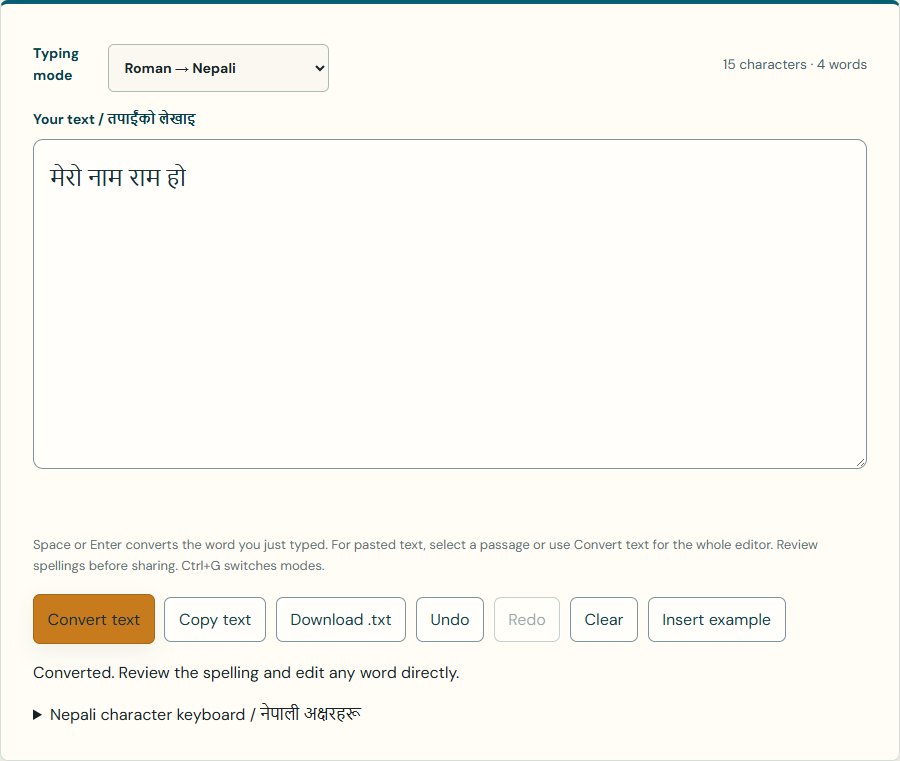
Start with a short sentence
- Keep Roman → Nepali selected in Typing mode.
- Type
meroand press Space. The completed word becomes मेरो. - Continue with
naam ram ho, pressing Space after each word. The sentence becomes मेरो नाम राम हो. - Review the spelling, then select Copy text or Download .txt.
Enter also converts a completed word. On a phone, use the Space key on your touch keyboard. If the final word is still Roman text, press Space or use Convert text.
Convert a pasted paragraph
Paste Romanized Nepali into Your text and select Convert text. For example, tapailai kasto chha? becomes तपाईंलाई कस्तो छ?. Without a selection, the button converts Roman words throughout the editor. Select a passage first to change only that passage.
Choose the spelling you mean
The same Roman spelling can represent different words. Type ma and inspect the spelling buttons below the editor: म means “I,” while मा can mean “in” or “at.” Select the spelling that fits your sentence. The tool uses common-word suggestions and phonetic rules; it does not understand every sentence or guarantee the spelling of a name.
Insert a character or half letter
Open Nepali character keyboard / नेपाली अक्षरहरू and select the required character at the cursor. Insert a vowel mark after its consonant. The ् character is a halant; the Roman rule k_ produces क्. If an edit goes wrong, use Undo. Redo restores an undone step.
Keep English words in the same note
Choose English / direct typing before entering English text. If you already have Hello namaste in the editor, select only namaste before pressing Convert text to produce Hello नमस्ते. The Convert text button preserves web links, email addresses and existing Nepali text, but ordinary English words need English mode or a carefully selected passage.
Typing is not English-to-Nepali translation
Write Nepali sounds, rather than English sentences. Converting “How are you?” does not translate its meaning into Nepali. For an old document containing Preeti-encoded text, use the Preeti Unicode converter instead; its input is a different encoding. The Preeti conversion guide explains how to identify that situation.
Review and save before closing the page
Check names, numbers and spelling in the app where you plan to use the result. Copy text places the current editor content on your clipboard; Download .txt saves a UTF-8 text file. If clipboard permission is unavailable, follow the tool’s message and use your device’s Copy command.
The editor accepts up to 50,000 characters. Typing and conversion run locally without uploading editor text. The tool does not save your writing in browser storage; copy or download it before closing or reloading. Conversion needs no further network requests once the page is loaded, but opening the website still requires a connection.